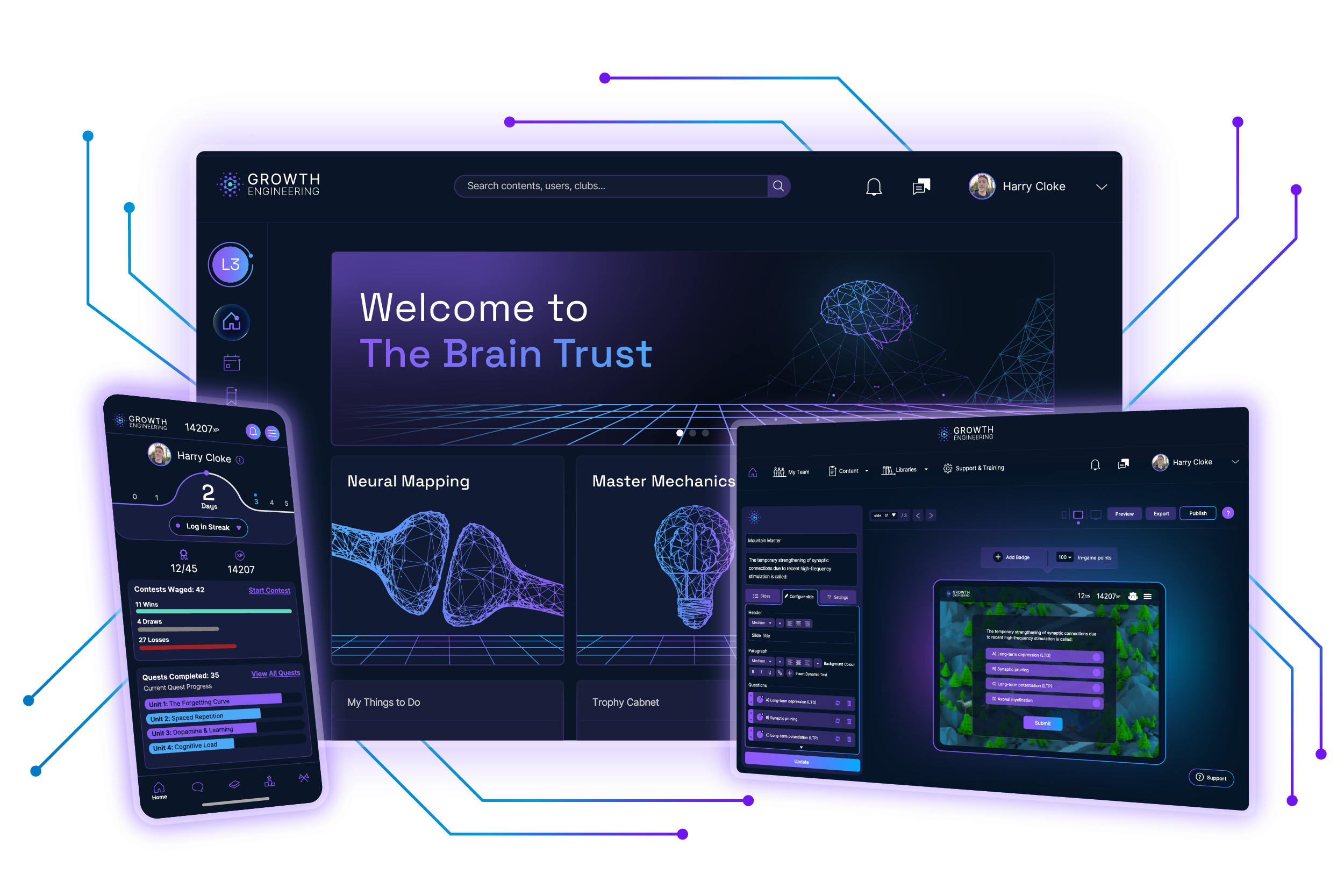
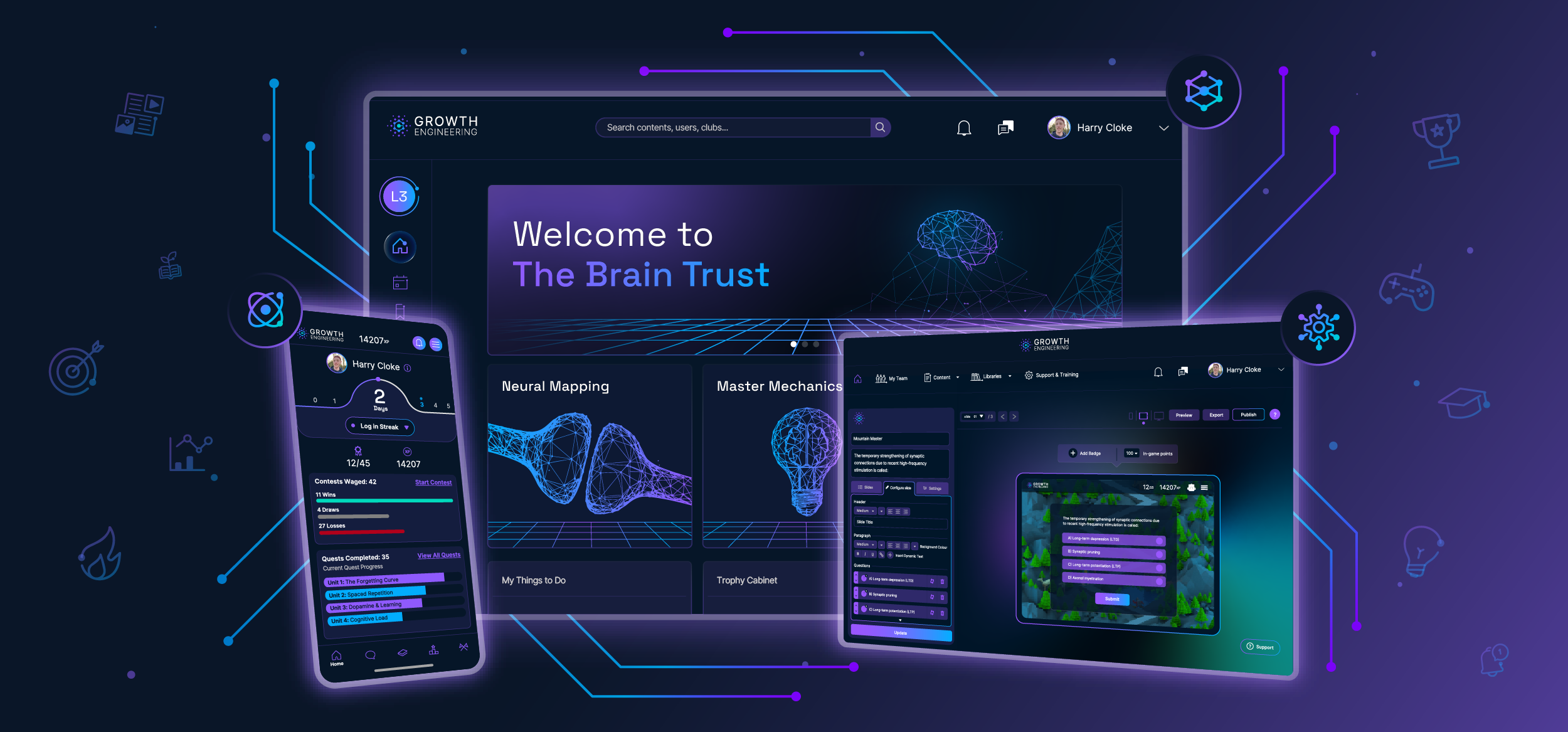
A Learning Management System (LMS) is software that helps organisations create, deliver, and track learning experiences. It centralises course content, assessments, learner progress, and compliance reporting in a single platform.
Today’s LMS platforms power employee training, onboarding, customer education, and academic learning across virtually every industry.
For all its strategic weight, the LMS still flies under the radar. Drop the term into a conversation and only the L&D crowd is likely to recognise it. No, it’s not the Lemon Meringue Society (though sign us up if you’re hiring).
In reality, the LMS has quietly become one of the most strategic pieces of software in modern business. It’s the backbone of how organisations build skills, manage compliance, and stop institutional knowledge from walking out the door when employees do.
This guide is your map through the LMS landscape. We’ll cover what an LMS is, how it works, the different types you’ll encounter, and the features that matter most in 2026. As one of the most-decorated LMS providers in the industry — with 120+ awards to our name — we’ll help you cut through the noise.
Let’s get into it.
- What Is an LMS?
- LMS vs LXP vs LCMS
- Who Needs an LMS?
- How Can You Use an LMS?
- Benefits of an LMS
- What Are the Types of LMS?
- User Types in an LMS
- What are SCORM, xAPI and AICC?
- What Content can an LMS Deliver?
- 8 Features That Set Modern LMSs Apart
What Is a Learning Management System (LMS)?
LMS stands for learning management system. It’s a software application that’s designed to handle all aspects of online learning and training programmes. It helps you to create, manage, organise and deliver learning experiences. Here’s what a typical LMS offers:
- Course Creation & Delivery: Create and share online courses with multimedia content like videos, quizzes, and assignments.
- Learner Management: Enrol users, track their progress, and manage their access to your learning resources.
- Assessment & Reporting: Deliver tests and quizzes, assess performance, and generate reports to track usage and achievement.
- Collaboration Tools: Facilitate communication and interaction between learners and instructors through online forums or chat features.
LMS platforms are used by businesses for employee training, educational institutions for online courses, and by individuals to manage their own personal learning journeys. The use cases are virtually limitless.
A Brief History of Learning Management Systems (LMS)
The history of learning management systems stretches back further than you might think.
The earliest LMS concepts emerged in 1924, when American psychologist Sidney Pressey invented his ‘teaching machine’ — a typewriter-like device that drilled learners on multiple-choice questions.
The learner could then advance if they got the answer correct — a feature that most modern LMSs still use today. With the development of computers, Computer-Based Training (CBT) systems sprung up in the 1960s and 70s, offering more complex progress tracking.
But what really transformed the LMS landscape was the birth of the internet. This enabled the creation of the first ever LMS software programme by SoftArc in 1990.
A decade later, the first open source LMS, Moodle (Modular Object-Oriented Dynamic Learning Environment) was introduced. This empowered educators to create personalised online learning environments using Moodle’s plug-and-play functionality.
Nowadays, learning management systems have become a dominant force in both organisational and educational learning. LMS adoption is now widespread, with 83% of organisations using some form of LMS, and the global market forecast to hit $34.1 billion in 2026.
Interest is also growing among SMEs, with 45% planning to invest in an LMS within the next year, reflecting demand for scalable, cost-effective training.
What’s the Difference Between an LMS, LXP, LCMS, and TMP?
Navigating the world of learning and development (L&D) can be tricky. With so many acronyms and technical terms, it’s easy to get into a muddle. But fret not. Here’s a breakdown of the different options, so you can see how they compare to an LMS.
| LMS | LXP | LCMS | TMP | |
|---|---|---|---|---|
| What it stands for | Learning Management System | Learning Experience Platform | Learning Content Management System | Talent Management Platform |
| Primary focus | Delivering and tracking structured training | Personalising learner-driven discovery | Creating and managing learning content | Managing the full employee lifecycle |
| Best for | Compliance, onboarding, structured upskilling | Self-directed development, skills exploration | Content authoring teams | HR and people operations |
| Content creation | Limited (some include authoring tools) | Limited (focuses on curation) | Strong — built for this | Not a core function |
| Personalisation | Moderate | High — central feature | Low | Varies by vendor |
| Best-known examples | Growth Engineering LMS, Moodle, Blackboard | Degreed, EdCast, Valamis | Saba, OpenText | Workday, SAP SuccessFactors, BambooHR |
A word of caution: the lines between these platforms blur more than the table suggests. Most modern LMSs offer LXP-style personalisation, and many vendors increasingly market themselves across multiple categories.
Always do your own investigative work — run a proper demo, ask for a feature breakdown in writing, and speak to existing customers about how the platform actually performs.
Who Needs an LMS?
LMS platforms cater to anybody with a training goal they’d like to crush. However, organisations typically fall into three main customer categories:
1. Small to Medium Enterprises

Startups and SMEs can use learning management systems to help improve and scale their operations. Online technology empowers these businesses to maximise their limited training resources with a cost-effective LMS solution.
Flexible pricing models, often based on the number of users (per learner, per month), cater perfectly to the smaller teams of SMEs, making LMS implementation an affordable and worthwhile investment.
2. Large Enterprises
As businesses grow, their training demands evolve in complexity. Large enterprises leverage LMS platforms to manage the training needs of hundreds or even thousands of employees across diverse locations and departments.
Enterprise LMS adoption remains widespread, with recent industry estimates putting Fortune 500 usage at around 78%.
3. Educational Establishments

LMS adoption is now near-universal in higher education, with 2026 education data showing 96% of universities using an LMS.
These institutions use their learning platforms to deliver coursework, assess learners, track progress, and build engaged learner communities.
How Can You Use an LMS?

From upskilling retail teams to onboarding tech graduates, LMSs handle a remarkable range of training scenarios. Here are the most common applications:
- Employee Onboarding
- Product Training
- Sales Enablement
- Employee Development
- Leadership Training
- Academic Learning
- Customer Education
- Extended Enterprise Training
And there are many more besides. Check out our article ‘12 Use Cases for Your Learning Technology Solutions‘ to discover more ways to put your LMS to work.
What Are the Benefits of an LMS?

The right learning management system, paired with a great L&D strategy, can work wonders for your training programme. Here are just some of the benefits:
- Improved Delivery: Learning management systems provide a centralised repository for all your training materials.
- Data-Driven Insights: You can use your LMS platform to track the progress and performance of your learners. This helps you to measure the effectiveness of your training programmes.
- Compliance Management: Your LMS turns compliance into a manageable process: assign mandatory training, automatically track completions, issue certificates, and generate a clean audit trail when the regulators come knocking.
- Increased Flexibility: Learners can sift through the training materials they need, when they need. This often leads to higher employee satisfaction and motivation.
- Cost-Effectiveness: An LMS can save you money in several ways. It supports you in reducing your overall training spend by digitising your learning approach and expanding the reach of your content.
- Enhanced Collaboration: Certain LMSs empower you to create a knowledge sharing community fuelled by social learning. This is important, as social learning accounts for at least 75% of the knowledge people attain in the workplace.
Ready to see real results? Discover how L’Oréal Travel Retail boosted sales by 20% across multiple territories with Growth Engineering’s Impact Suite. Explore our case studies and success stories now to see how an LMS can unlock your company’s potential.
What Are the Different Types of LMS?
Ready for an extra layer of complexity? When choosing an LMS, there are a number of other considerations to keep in mind. For instance, you’ll need to select between:
1. Installed LMS vs Web-Based LMS

Installed or locally hosted LMS systems are only accessible in the physical location where the software is set up. In contrast, web-based LMS platforms offer the flexibility of being accessible from anywhere, anytime, with just an internet connection.
This eliminates geographical restrictions and empowers learners to access training materials and complete courses on their own schedule, fostering a more learner-centric approach.
2. Self-Hosted LMS vs SaaS LMS

Both a self-hosted LMS and a SaaS LMS are hosted on the cloud. As you may have guessed, the difference comes down to who is hosting it.
With a self-hosted LMS you have complete control over the server environment where the LMS software is installed. This means you’ll need to manage uptime, security and perform technical upgrades with your own IT resources.
On the other hand, with a SaaS LMS (like Growth Engineering LMS), your vendor will handle the entire cloud infrastructure. This frees you from technical complexities, allowing you to focus on core activities like content creation and training delivery.
3. Open-Source vs Closed-Source LMS

An open-source LMS gives licence to anyone to freely examine, change, and improve the original code of the software. This fosters collaboration and customisation within the open-source community. However, keeping an open-source LMS updated will require technical expertise and ongoing maintenance efforts.
On the other hand, a closed-sourced LMS is a proprietary programme where the source code is owned and controlled by the vendor. Closed-source LMSs typically require licence fees or subscription costs. The advantage is that the vendor handles updates and maintenance for you, ensuring a smoother user experience.
User Types in an LMS
Learning management systems use a series of rules and user permissions to serve up the right set of content to the right set of learners. Indeed, the best way to imagine an LMS is to think of it as a large website with areas that only certain users can log in to.
| User Type | Primary Role | Where They Work | Key Permissions | Best Suited To |
|---|---|---|---|---|
| Administrator | Runs the entire platform | Backend (admin area) | Full access — manages users, content, settings, and reporting | L&D managers, IT admins, platform owners |
| Manager | Oversees their team’s learning | Mostly backend | Visibility into a specific group, plus the power to assign and approve content | Team leaders, department heads |
| Learner | Completes the actual learning | Frontend (learner experience) | View assigned content, complete assessments, earn rewards, join social features | Employees, students, customers, partners |
| Instructor | Runs live training sessions | Both backend and frontend | Schedule classes, manage attendees, deliver and update session content | Subject matter experts, trainers, classroom hosts |
| Assessor | Marks qualitative assessments | Backend (assessment area) | Review and grade open-ended responses, provide written feedback | Subject matter experts, internal quality reviewers |
What Content Can an LMS Deliver?
The unspoken job of any good LMS system is to keep learners happy and engaged. Diverse content helps to fuel this engagement and cater to a variety of learner preferences. Here are the content formats that are typically accessible through a learning management system:
- SCORM compliant eLearning (1.2, 2004)
- xAPI compliant eLearning
- Videos (MP4) or YouTube embeds
- Audio files or podcasts (MP3)
- Documents (.doc, .pdf, .ppt, etc.)
- Assessments, tests and surveys
- External links and resources
- Learning games
- And more!
The specific mix of content types will vary depending on your learning objectives, target audience, and the LMS platform itself. However, the core idea is to provide learners with a diverse and engaging experience.
What are SCORM, xAPI and AICC?
If you’re sharing eLearning content through your LMS then you’ll need to wrap your head around the differences between SCORM, xAPI and AICC. Yes, that’s right: we’ve got three more acronyms for you! Let’s break them down.
| SCORM | xAPI | AICC | |
|---|---|---|---|
| Full name | Sharable Content Object Reference Model | Experience API (formerly Tin Can) | Aviation Industry Computer-Based Training Committee |
| Introduced | 2000 (most recent version: 2004) | 2013 | 1988 |
| Created by | US Department of Defence (ADL Initiative) | ADL Initiative & Rustici Software | Aviation industry training professionals |
| What it tracks | Course completion, scores, and time within an LMS | Any learning experience — online or offline, formal or informal | Course completion and scores within an LMS |
| Best for | Standard LMS-delivered eLearning content | Modern, multi-channel learning ecosystems | Legacy systems and security-sensitive industries |
| Adoption | Highest — the industry standard | Growing — the modern challenger | Largely retired, but not extinct |
8 Features That Set Modern LMSs Apart
Learning technology is a wonderful thing. However, technology moves quickly. It’s up to LMSs to keep up with the growing demands of a digitally-savvy audience. Sure, content delivery, assessments, and reports are all important, but what truly sets an LMS apart is its ability to captivate learners.
With that in mind, let’s take a look at 8 features that set modern LMSs apart.
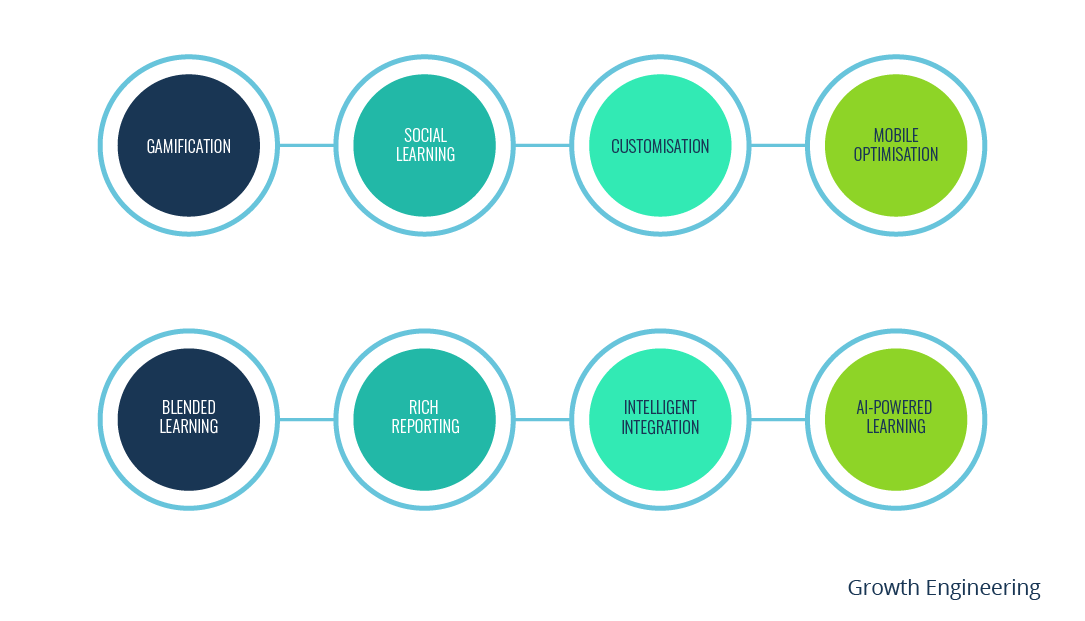
1. Gamification
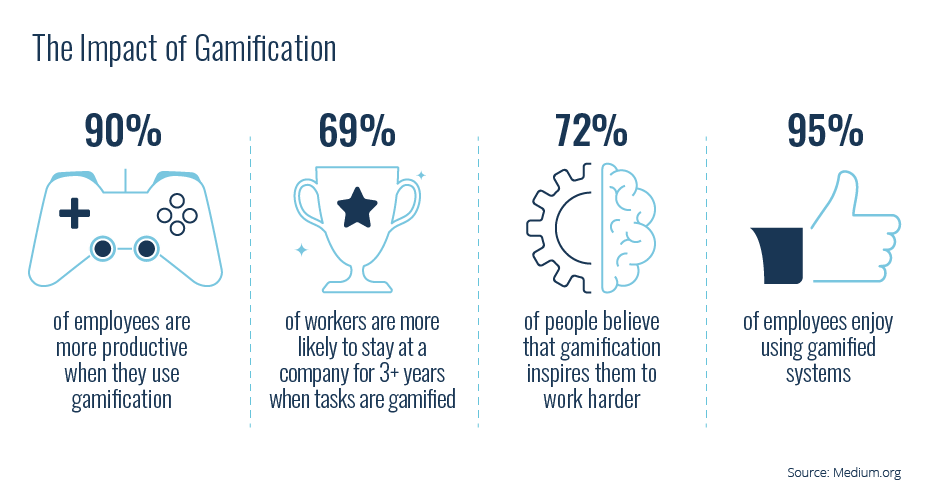
Mary Poppins was on to something when she said: “In every job that must be done, there is an element of fun”. This is where gamification enters the party.
Gamification is the application of game mechanics to non-gaming environments. It is known to improve productivity and engagement in online learning. In fact, 30% of L&D professionals are already incorporating games and simulations in their eLearning programmes.
You can gamify your training programme by applying features such as XP, badges, levels, leaderboards and contests.
2. Social Learning
Social learning is a huge part of driving learner engagement and producing better business outcomes. In fact, the 70:20:10 model states that 20% of everything we learn is learnt socially.
The right social learning features also help to facilitate a knowledge sharing community and prevent intellectual capital from leaking out of your organisation.
Modern learning management systems offer a range of proven methods to connect learners. This includes Clubs (discussion forums), Experts Areas (for your SMEs), and social streams.
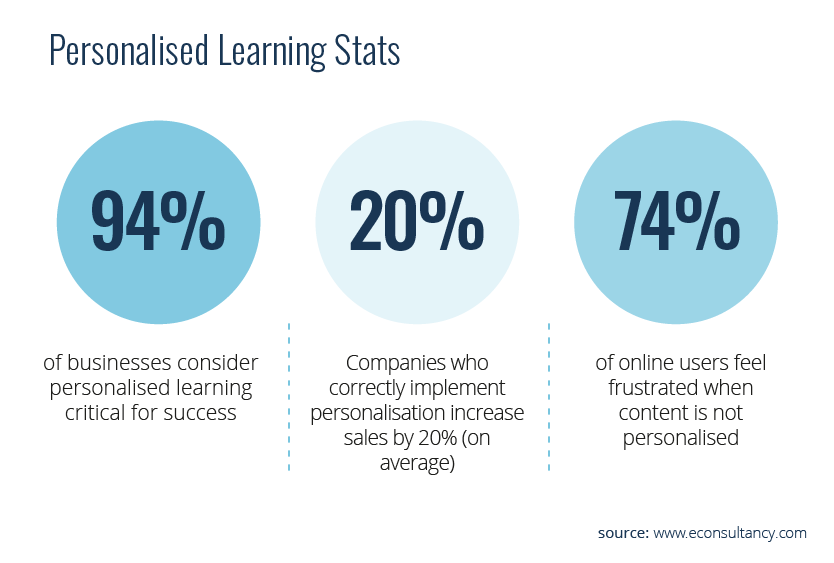
3. Customisation
If you’ve ever had your clothes tailored, then you’ll know how great customisation feels. Customising your LMS creates a learning environment that resonates with your audience, fostering deeper engagement and more meaningful learning experiences.
After all, if done right, a customised training platform helps the learner to feel like they are playing an important role in driving your organisation towards its goals. It enables them to take ownership over their learning journey.
4. Mobile-Optimised
We are mobile obsessed. Indeed, 91% of Americans now own a smartphone and the rest of the world isn’t too far behind. This means your LMS needs to be mobile-optimised. A non-responsive platform will leave your learners feeling disconnected and unengaged.
That said, a dedicated mobile app goes a step further — making learning on the go and at the point of need far easier than a browser ever can.
5. Blended Learning

Blended learning mixes online learning and traditional classroom methods to get the best of both worlds.
Here, the LMS acts as a central hub for managing, delivering, and recording both components. This allows for a deeper understanding of concepts through a combination of theoretical and practical approaches.
And the evidence stacks up. Research shows blended learning improves learner performance, with some studies reporting engagement gains of up to 73% compared to traditional formats alone.
6. Rich Reporting
Think of the last decision you made without the full picture. Probably not your finest hour, was it?
Studies show that data-driven strategies are 3x more likely to be effective. As a result, it’s no surprise that 82% of businesses regard reporting tools as a crucial feature in their LMS.
A forward-thinking LMS should have the right reporting functionality and data visualisation tools to help you keep up with the needs of your learners. This will help you stay on top of progress at every stage of their journey.
7. Intelligent Integration
Today’s leading companies unlock a winning advantage by embracing efficiency in their business processes. Many of them use integrations to help streamline operations and improve business agility.
Your LMS should be engineered to easily adapt to future learning needs. This means that it should be able to integrate with various tools and technologies within your software stack.
Take Growth Engineering’s Impact Suite as an example: it brings our LMS, mobile app and authoring tool together in one platform, while an open API lets it play nicely with the rest of your tech stack.
8. Artificial Intelligence
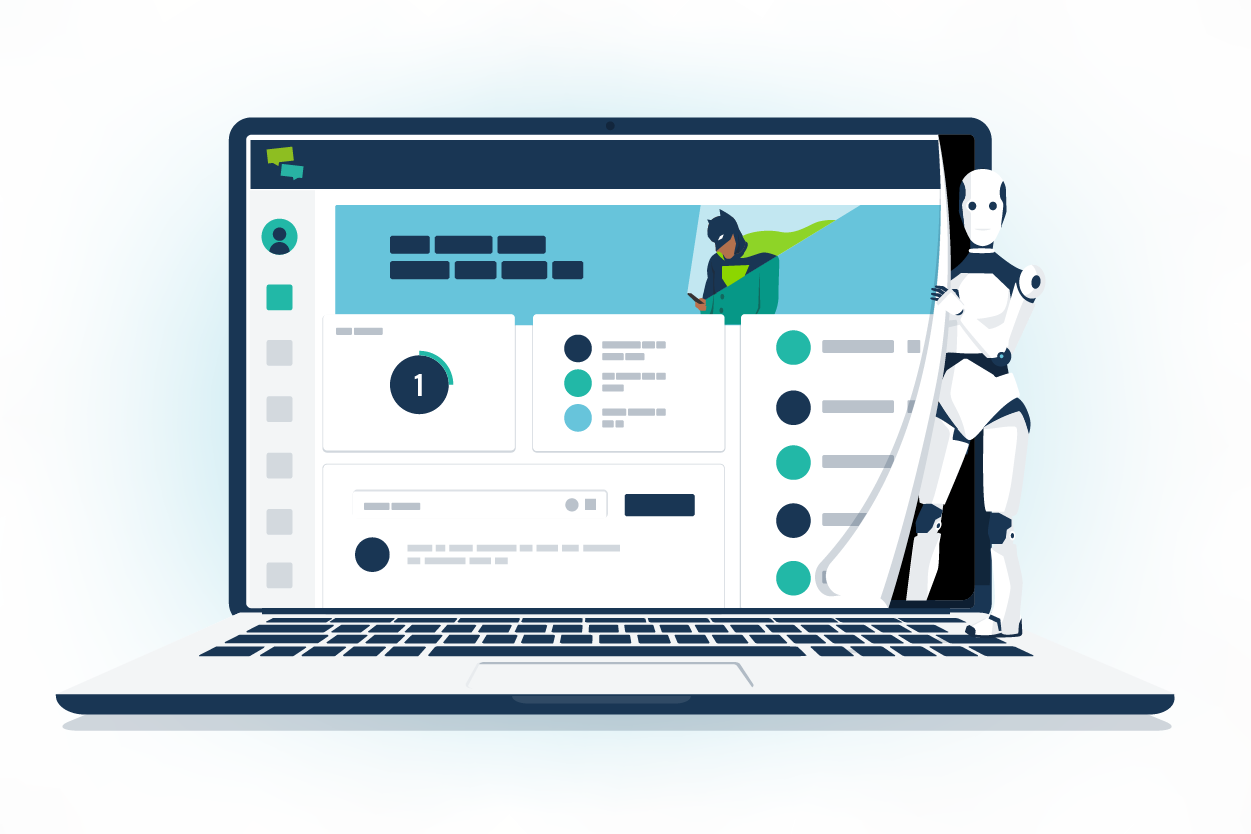
In the eLearning industry, AI-powered LMSs are enabling next-level adaptive learning, reporting and personalised content.
AI functionality within an LMS can enable content recommendation systems, chatbots and coaches, and other automation features. This will transform the future of personalised learning and fuel learner engagement on a whole new level.
AI can also be used to produce deeper insights from your learning data. In turn, this will empower learning professionals to make better decisions and improve their training interventions.
Check out our list of ‘44 Must-Have LMS Features’ for more things to look for in your brand new LMS!
Final Words
Now you know what an LMS is. That means no more embarrassing guesses such as, ‘uh, the League of Misplaced Spreadsheets?’ A learning management system is software that empowers companies to manage, deliver, and track learning programmes. It’s an engine for forward progress.
Good learning management systems also use slick engagement tools such as gamification, social learning, and customisation to incentivise action.
Armed with this knowledge, you’re now ready to join the battle against dull online learning! The next step? Choosing the right LMS.
Take a free tour of Growth Engineering LMS — the most-decorated LMS in the industry, with 120+ awards to our name.