
The best frontline LMS isn’t the one with the longest feature list. It’s the one your people will actually open between customers, on their own phone. It also needs to prove the training happened when an auditor or area manager asks.
That’s a harder brief than it sounds. Frontline teams turn over quickly, rarely sit at a desk, and often share a device. Many have no company email at all.
As a result, training has to fit a quiet ten minutes on shift, work in several languages, and reach new starters before their first day. Meanwhile, head office still needs to know who has done what, by store, region, and role.
We’ve compared 12 platforms built for that reality, including our own, from frontline specialists to enterprise LMSs with strong mobile apps. We’ve labelled each one by who it suits rather than ranking them, because the right choice depends on which trade-offs you can live with.
What a Frontline LMS Actually Has to Do
A frontline learning management system (LMS) has to work in places a desk-based platform was never designed for. Every system on this list passed three tests:
- Does It Work Properly on a Phone? Through a native app or the mobile web, learners must be able to start and finish training without a laptop.
- Does It Fit a Shift? Lessons need to be short enough to fit in between customers, and easy enough to pick up again later.
- Does It Prove the Training Happened? Admins can assign training, track completion by person, and pull the evidence when someone asks.
Beyond those criteria, these are the questions that separate the platforms:
- Will People Come Back? You can force a completion once. But frontline training works only when people choose to open it again (and again). This only happens if it feels relevant and rewarding.
- Can It Reach Everyone Fast? Automatic enrolment by role, location, or start date means a new starter’s training is ready before their first shift.
- Does Everyone See the Same Picture? Reporting by store, region, and role shows who needs support before it surfaces in an audit.
- Does It Speak Your Team’s Languages? Multilingual content and translation options keep diverse teams on the same page.
- Does It Connect to What You Already Run? Single sign-on and integrations keep your people’s accounts in sync with other systems.
Boiling that down further, these platforms need to fit around shift work and prove learning happened. That’s the test that every entry below has to meet.
The 12 Frontline LMS Platforms Compared
Here’s how the 12 frontline LMSs compare on who they suit, how they reach people on shift, where they’re hosted, and what they cost.
Growth Engineering makes the Impact Suite, so it appears first. The rest follow in alphabetical order.
At a Glance
| Platform | Best for | On-shift access | Hosting | Price |
|---|---|---|---|---|
| Growth Engineering | Training that changes behaviour on the shop floor | Branded app, contests, and rewards | AWS: UK, US, APAC | ££ |
| 360Learning | Multilingual retailers using shared store devices | Offline app and shared-device mode | Azure: EU, US | ££ |
| Axonify | Daily reinforcement for large frontline workforces | Daily questions, games, and rewards | Google Cloud: US, EU | £££ |
| Connecteam | Small multi-site businesses wanting one all-in-one app | Courses alongside scheduling and chat | Azure: EU | £ |
| Docebo | Enterprises training frontline and office staff together | Branded offline app (add-on) | AWS: EU, UK, US, Canada, APAC | £££ |
| eduMe | Training delivered inside tools staff already use | Lessons by link, Teams, or app | AWS: UK, EU | ££ |
| Flow Learning by Mapal | Hospitality groups wanting a ready-made course library | Bite-sized courses in the Mapal One app | Azure: EU | ££ |
| LumApps | Organisations wanting learning inside their intranet | Microlearning in the employee app | Google Cloud: EU | £££ |
| Mitti | Operations teams running inspections and training together | Training next to checklists and inspections | AWS: US, EU, Australia | £££ |
| MobieTrain | Retail brands wanting microlearning plus ready-made content | Five-minute modules on the mobile web | Google Cloud: EU | £ |
| Opus | Restaurant groups wanting training and checklists in one place | Three-to-five-minute lessons and checklists | AWS: US | ££ |
| Schoox | Multi-site brands wanting a full LMS built for the frontline | Native app with offline access | AWS: US, UK, Canada | ££ |
£ under £25k · ££ £25k to £60k · £££ £60k+
Price bands are a rough guide to annual licence costs for around 2,000 learners, excluding implementation and content. Use them to start the conversation, not as a quote. Our LMS pricing guide explains how pricing tends to change as frontline headcounts grow.
The 12 Frontline LMS Platforms in Detail
Each entry covers who the platform suits, what it does best, and the limitation you’re unlikely to hear about in a demo.
1. Growth Engineering
Best for: training that changes behaviour on the shop floor
- HQ: London, UK
- Ownership: Independent, owned by its founder
- Hosting: AWS: UK, US, APAC
- Price: ££
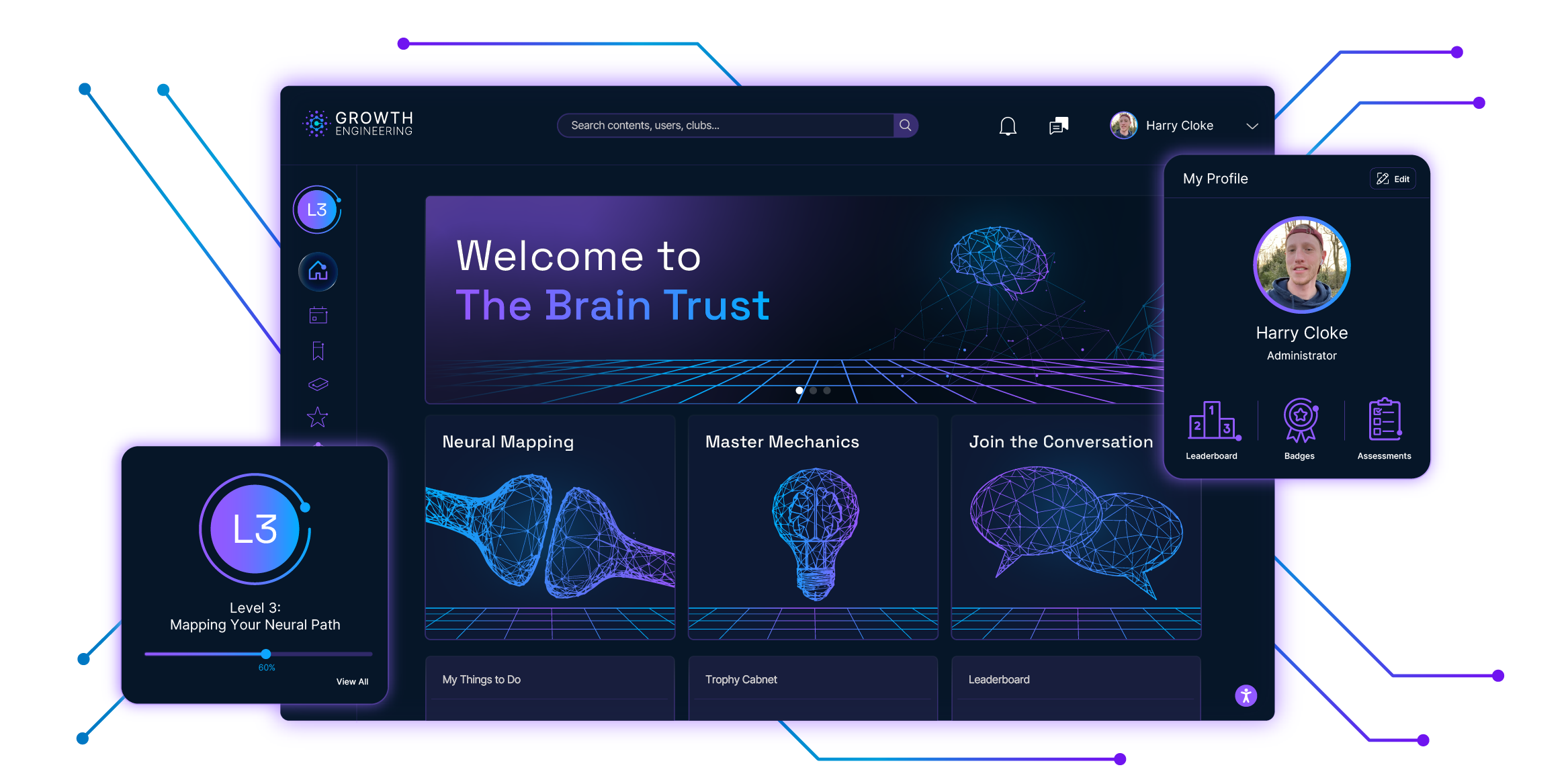
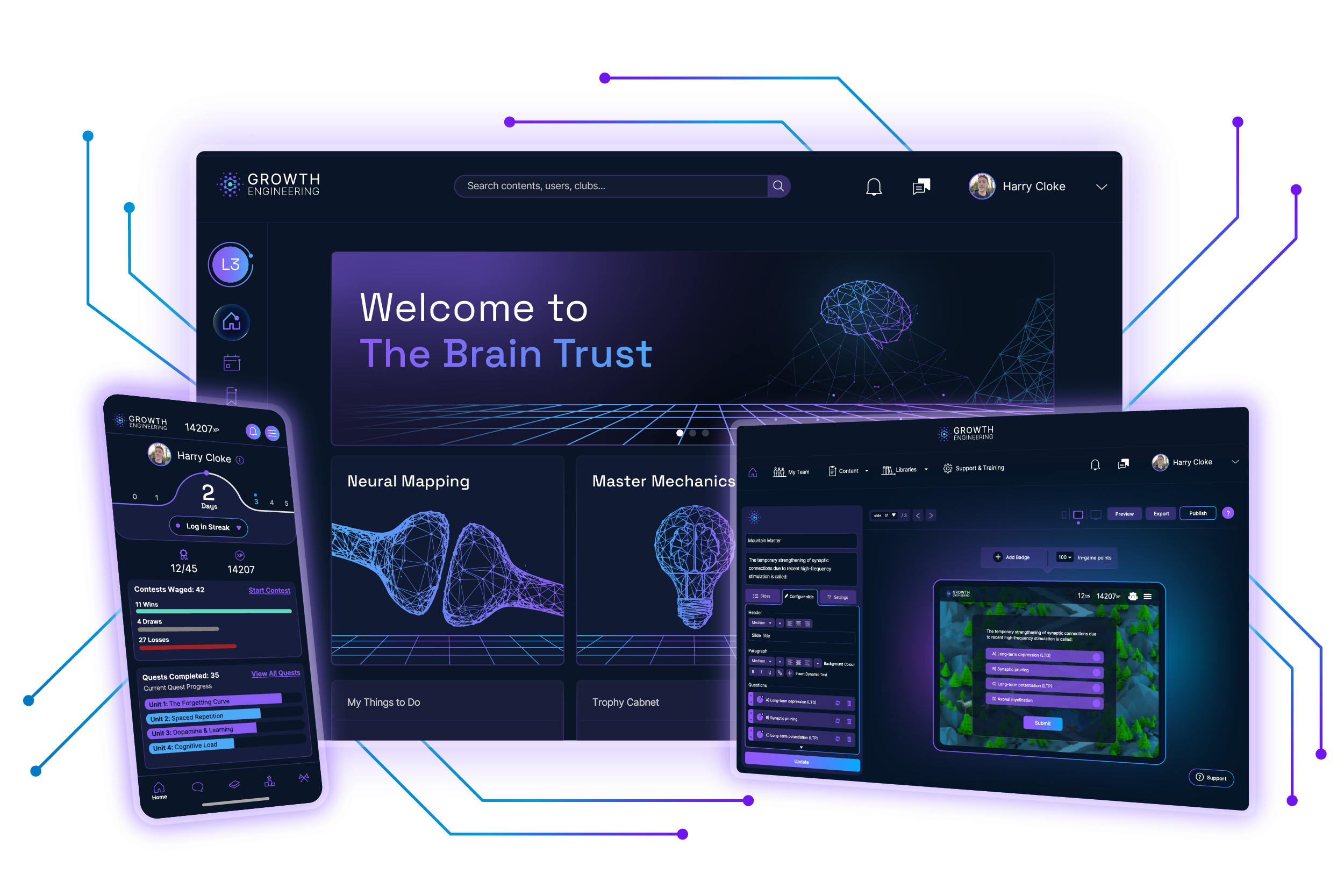
Growth Engineering built the Impact Suite around how people learn and remember. It cares about what frontline staff do with their training, not just whether they finish it. The Learning App puts short lessons in a white-labelled app under your brand. It’s listed in the Apple, Google Play, and Huawei stores.
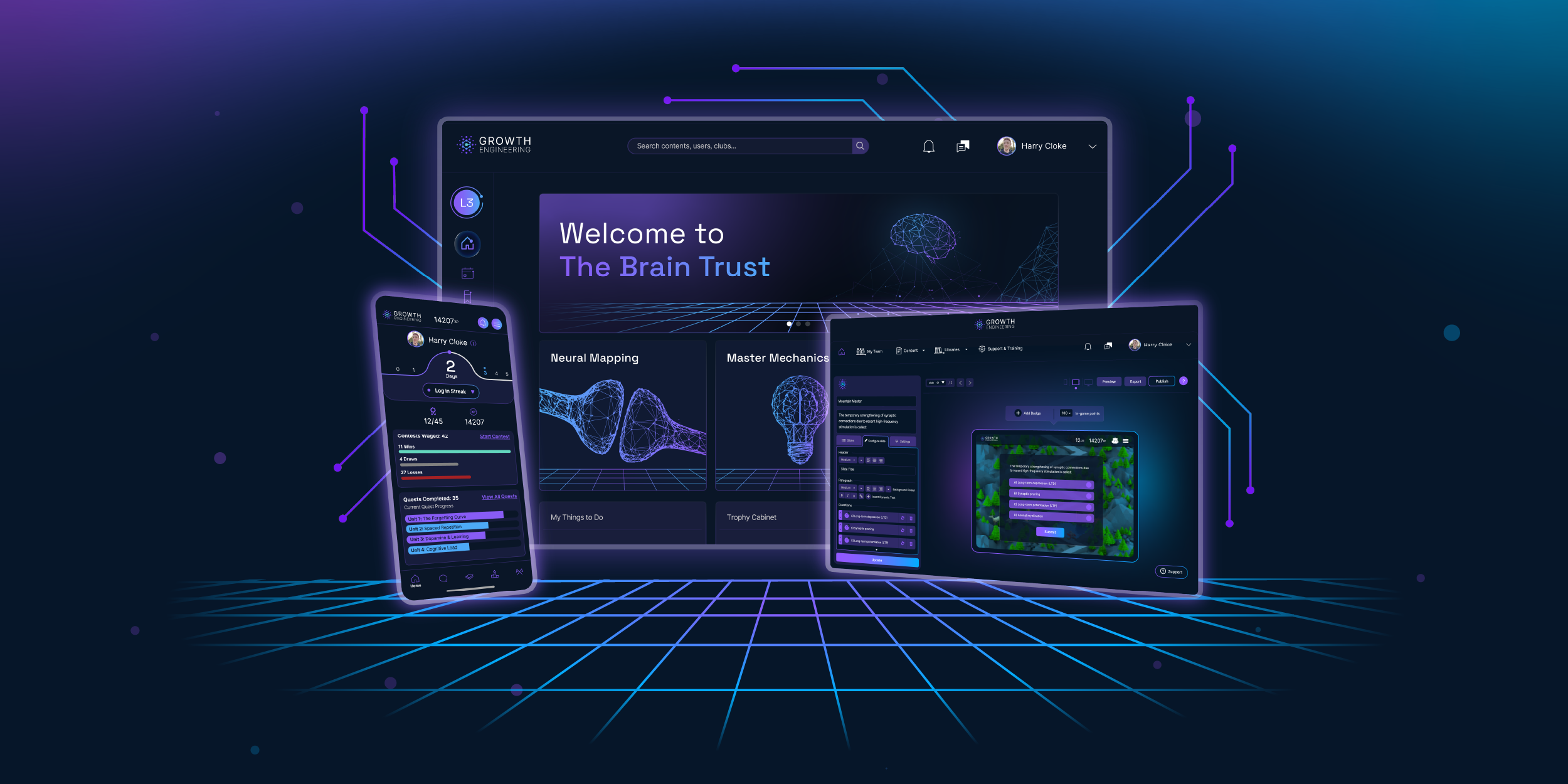
Knowledge Contests turn product detail into quick head-to-head games. The Reward Centre lets learners spend the points they earn on vouchers, gifts, or perks. Clubs connect staff across stores and countries, with posts that get translated instantly, so best practice travels.
The results show up on the shop floor. L’Oréal’s 5,500+ Beauty Advisors completed an average of 312 contests each, and sales revenue rose 20%. GAME reached 89% content completion across more than 250 stores. Caffè Nero trains two brands on one platform.
The limitation: we provide the platform, not the courses. Bring your own content or build it in our Authoring Tool. We’re also happy to recommend content partners for off-the-shelf libraries.

2. 360Learning
Best for: multilingual retailers using shared store devices
- HQ: Paris, France
- Ownership: Private, VC-backed
- Hosting: Azure: EU, US
- Price: ££
360Learning is built to cater for collaborative learning. The people who know the job best create and improve the training, and learners can react, comment, and suggest updates from within the app. One-click AI translation covers more than 60 languages.
For retailers, that turns field know-how into courses quickly. Galeries Lafayette uses it so in-house experts can share knowledge with in-store teams, and the vendor lists Carrefour, Dior, and LVMH among its customers.
Its frontline features are practical. Shared access lets a whole team train on one store iPad while each learner keeps their own progress. Staff without a company email can log in with an employee ID. Learners can also download courses for access in low-signal areas.
The limitation: key frontline features sit in the paid Mobile Advanced add-on, including shared-device access and a branded app. Offline access has limits too. Progress from a course played offline only syncs once the learner finishes it.
3. Axonify
Best for: daily reinforcement for large frontline workforces
- HQ: Waterloo, Canada
- Ownership: Private, PE-backed
- Hosting: Google Cloud: US, EU
- Price: £££
Axonify positions itself as a “frontline enablement platform”. It’s built for learning that happens in small bursts. Instead of long courses, workers answer short daily questions that adapt to what they already know. They can skip what they’ve mastered and spend time on their gaps.
Points, leaderboards, rewards, and games aim to make opening the app a daily habit. It suits very large, distributed workforces, and the vendor names Kroger, Marriott, and Foot Locker among its customers.
The platform now reaches well beyond training. It handles announcements, location channels, and two-way messaging. It also assigns tasks, daily checklists, and SOPs to roles or locations. For head office, its Insights Dashboards focus on whether people are ready for the job rather than how many courses they’ve completed.
The limitation: admins may face a steep learning curve. G2 reviewers raise this more than any other issue, and several also mention limits on what admins can configure.

4. Connecteam
Best for: small multi-site businesses wanting one all-in-one app
- HQ: Tel Aviv, Israel
- Ownership: Private, VC-backed
- Hosting: Azure: EU
- Price: £
Connecteam is an all-in-one app for deskless teams, and training is one part of it. The same app runs scheduling, the time clock, chat, checklists, and HR tasks, so staff only ever need access to one platform. That makes it a strong fit for smaller multi-site businesses.
Training is quick to get started. Admins can build courses from scratch, start from templates, or turn a simple prompt into a full course with AI. They can then share it with employees, teams, or sites in a click.
Learners complete courses and quizzes on their phone, and reminders keep them on track. Admins see each person’s status and section-by-section progress, set due dates, and export course reports. Customer logos include Subway, Holiday Inn, and Chipotle.
The limitation: training is one hub in a broader ecosystem, not a dedicated LMS. Some core assessment controls also sit on higher plans: setting a pass mark, limiting quiz attempts, and setting quiz deadlines all start at the Advanced tier.
5. Docebo
Best for: enterprises training frontline and office staff together
- HQ: Toronto, Canada
- Ownership: Public (NASDAQ:DCBO)
- Hosting: AWS: EU, UK, US, Canada, APAC
- Price: £££
Docebo is one of the biggest names in corporate learning, and its frontline offer sits on top of a full enterprise LMS. That makes it a strong choice when one platform has to serve store staff, head office, and sometimes customers and partners too.
Listed on NASDAQ and the TSX, it keeps building out the platform. In January 2026 it bought 365Talents, which added skills intelligence, and in April it added Zive, a Hamburg AI company that makes scattered company knowledge searchable.
For the frontline, the full feature set is covered. Its branded mobile app works online or off, and push notifications reach staff who have no company email. It supports more than 50 languages, and enrolment rules can assign training automatically by brand or role.
The limitation: much of what frontline teams need costs extra. The branded mobile app and Advanced Analytics are both paid add-ons. Reporting is also a recurring complaint across independent review sites.

6. eduMe
Best for: training delivered inside tools staff already use
- HQ: London, UK
- Ownership: Private, VC-backed
- Hosting: AWS: UK, EU
- Price: ££
eduMe’s pitch is that frontline staff shouldn’t need another app. Instead of asking people to download something new, it delivers bite-sized training through the tools they already use. These include Microsoft Teams, Workday, SMS, email, WhatsApp, and more.
Learners can also add it to their phone’s home screen as a web app. eduMe describes itself as the only Workday Certified frontline training platform, which makes it an easy fit for organisations already running Workday.
Its AI tools can turn PDFs into short lessons in a few prompts, and it translates courses into more than 50 languages. Admins can assign mandatory training automatically and export completion records with scores and timestamps.
The limitation: your learners will need a connection. eduMe delivers training through links and a home-screen web app. Its help docs describe no offline mode. This matters for warehouses, basements, and sites with signal issues.

7. Flow Learning by Mapal
Best for: hospitality groups wanting a ready-made course library
- HQ: Madrid, Spain
- Ownership: Private, PE-backed
- Hosting: Azure: EU
- Price: ££
Flow Learning started in Edinburgh as Flow Hospitality Training. In 2019 it merged into Mapal, the Madrid-based hospitality software group. It’s built for hotels and restaurants, and its biggest draw is the content.
It comes with a ready-made library of hospitality and compliance training, and around 60 of its programmes carry Institute of Hospitality endorsement. They range from food safety and allergens to guest service and revenue management.
Admins can assign mandatory learning, set automatic refresher reminders, and see who has completed what across every site. Compliance leaderboards and gamified challenges add some competition, and teams can learn in several languages on mobile, tablet, or desktop.
The limitation: support and reporting draw the most complaints in reviews of Mapal’s wider Culture Suite. Ask for a hands-on trial of the reporting before you sign, so you can check it covers what you need.
8. LumApps (formerly Teach on Mars)
Best for: organisations wanting learning inside their intranet
- HQ: Lyon, France
- Ownership: Private, PE-backed
- Hosting: Google Cloud: EU
- Price: £££
LumApps is an employee intranet and communications platform. Its Learning product grew out of Teach on Mars, the French mobile learning specialist LumApps bought in December 2023. That means training sits in the same mobile hub as company news, schedules, and knowledge, so frontline staff get everything in one place.
It suits organisations that want one employee app rather than separate tools for comms and learning. LumApps is a Leader in both the 2026 Gartner Magic Quadrant and the Q2 2026 Forrester Wave for intranet platforms.
Training is short and mobile-first, with AI-powered microlearning and quizzes aimed at sales-floor staff, cashiers, and stock assistants. Admins can target courses by job role, location, or department, track who has completed what, and keep certifications up to date.
The limitation: the product is in transition. In July 2025 LumApps bought Beekeeper, another frontline app with its own training area. LumApps said the two would merge in phases over 12 to 18 months, so ask which version you’d be buying.
9. Mitti (formerly SafetyCulture)
Best for: operations teams running inspections and training together
- HQ: Sydney, Australia
- Ownership: Private, VC-backed
- Hosting: AWS: US, EU, Australia
- Price: £££
Mitti is best known for inspections and checklists, and training sits in the same app. The training product began as EdApp, which SafetyCulture bought in 2020. SafetyCulture renamed itself Mitti in 2026. That heritage makes it a natural fit for operations-led teams who want one app covering how work gets done and the training that supports it.
Training is quick and easy to build. Upload an SOP, PDF, or slide deck, and AI turns it into a mobile course, with quizzes and narration. It can then automatically translate this content into more than 100 languages.
Spaced repetition, gamification, and in-lesson social learning keep people coming back. Learners can download lessons to complete offline. Admins assign courses as optional, mandatory, or recurring, track progress in a training matrix, and get reminders before credentials expire.
The limitation: some admin controls hit limits at scale. Rule-based auto-assignment needs the Premium or Enterprise plan and allows five rules per course. The training matrix and its CSV export only cover up to 100 courses.
10. MobieTrain
Best for: retail brands wanting microlearning plus ready-made content
- HQ: Genk, Belgium
- Ownership: Private, VC-backed
- Hosting: Google Cloud: EU
- Price: £
MobieTrain brings training, updates, and key information for retail and hospitality teams into one place. Its Content Academy offers more than 80 hours of ready-made training on soft skills and sector knowledge, which helps smaller teams to get started quickly.
Its AI content tool turns PDFs into learning tracks in minutes and translates them automatically. Dashboards track completion, engagement, and skill development in real time, and admins can export completion dates and scores.
Beyond training, the Operations Hub adds an AI assistant and a search function, so staff can find a process or product detail on shift. Milestones celebrate progress, and the Event Planner organises live and virtual sessions.
The limitation: MobieTrain runs in the browser as a progressive web app rather than a native app. Its help docs describe no offline functionality. This means your learners will need a signal to access their training.

11. Opus
Best for: restaurant groups wanting training and checklists in one place
- HQ: New York, USA
- Ownership: Private, VC-backed
- Hosting: AWS: US
- Price: ££
Opus started in restaurants and still feels built for them. Courses are short and media-rich, and Opus says its AI Assist helps admins build them up to ten times faster. Trainees can learn in any of more than 130 languages, and admins can auto-translate all content.
Training, operations standards, and checks sit side by side, so the same app that teaches a recipe can also confirm that it’s being followed.
Admins assign courses by name, location, or role, or set up automations based on the same properties. Reminders reach learners the day before an assignment is due. A compliance dashboard tracks every assignment, expiry date, and completion by region, brand, or location, and admins can export or download individual certificates.
The limitation: some of what frontline operators need is extra. Checklists and audits are a paid add-on to every plan, and compliance training modules are bought separately as needed.
12. Schoox
Best for: multi-site brands wanting a full LMS built for the frontline
- HQ: Austin, USA
- Ownership: Private, PE-backed
- Hosting: AWS: US, UK, Canada
- Price: ££
Schoox is a full LMS designed around frontline work. It counts more than 3,500 organisations and around 20 million learners among its users, including Subway and Sonesta Hotels.
It suits brands that want frontline depth without giving up the structure of a traditional LMS. Its mobile app lets learners download training to use offline, and they can pause on one device and pick up on another. Notifications and social features keep people connected to their learning.
Behind the scenes, admins can build reports, schedule them, and track compliance and due dates. They can also issue certificates and run full SCORM courses, including offline in the app. Its Business Impact module shows how training moves metrics such as sales and customer satisfaction.
The limitation: reporting takes some getting used to. Schoox notes that large reports arrive by email rather than on screen, managers only see data within their own unit, and earlier exam attempts are deleted if an unfinished course is reassigned.
How to Narrow This List Down
There’s no single best frontline LMS, only the best fit for how your teams work. Thankfully, three questions will cut down your list quickly.
- Where Do You Want Your Training? If your staff already access an operations, scheduling, or intranet app, a built-in module keeps everything in one place. That points to Connecteam, Mitti, LumApps, or Flow Learning by Mapal. If training is the priority, look at the dedicated platforms.
- Who Will Create the Content? If you need courses on day one, Flow Learning and MobieTrain come with ready-made libraries. If your own experts hold the knowledge, 360Learning, Opus, and Mitti can quickly turn it into lessons.
- How Big and Spread Out Are You? Connecteam suits smaller multi-site businesses. Docebo, 360Learning, and Growth Engineering handle large estates where frontline and office staff share one platform.
If your challenge is getting frontline staff to come back to training, and seeing it change how they sell and serve, that’s what we built the Impact Suite for. A branded app, Knowledge Contests, and the Reward Centre give your people a reason to open it between customers.
The quickest way to know for sure is to see it in action. Book a 30-minute walkthrough with one of our Learning Scientists, and use the LMS buyer’s guide to make sure you leave with the answers that matter.
Final Words
Frontline training has a hard job. It competes with customers, queues, and the next delivery, and it has to win back attention from people who never sit at a desk.
The platforms on this list all clear the basics: they work well on a phone, they fit around shift work, and they prove the training happened. Where they differ is in how they get people to come back, and what that does for the shop floor.
Pick the one your people will actually open, and your training will finally have a chance to change what happens in front of your customers.
Ready to see frontline training your people come back to? Book a live tour of the Impact Suite, and bring your toughest shop-floor challenge with you.