
 Using video to train staff is a time-honoured method of building a training programme. If you need to educate employees, an instructional video can be a much more effective learning asset than a written document.
With so many options available today, anybody can create a training video quickly and at little cost, even if it’s a simple webcam recording. But why not go a step further? If you have a collection of instructional videos on a particular topic, they can easily be included as assets in an eLearning unit.
With an eLearning module, you can bundle your video training content together and make it a little more interactive by including quizzes.
Genie, our content authoring tool, lets you go further still! With no coding skills at all, you can take eLearning to the next level and create learning games! So what can Genie do to help you get the most out of your training videos?
Uploading video files
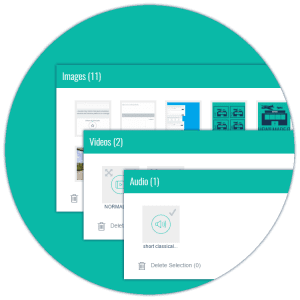 If you have a collection of video files, there’s a good chance that they are scattered amid several folders on various different devices, computers and servers. Genie’s asset libraries let you upload all of your videos to one location, categorising them as you go. Should you need to reorganise them, it’s a simple matter of assigning the video to a different library.
Embedding videos
Perhaps you don’t have access to the original video files. Let’s say you want to create some training collateral to help your sales people understand their products better. With Genie, you can include an embed link. This lets you add videos from any of your suppliers or partners, provided their content has been uploaded to YouTube.
Essential Viewing
It’s all too easy to give in to the temptation to skip through an eLearning unit just to earn that coveted badge. As a learning professional, you want to give your learners the best opportunity to improve and that can’t happen if they don’t absorb all of the content. If a learner encounters a video in a Genie learning game, they can’t progress until they have watched it, which means they can’t win the game.
Addressing Knowledge Gaps
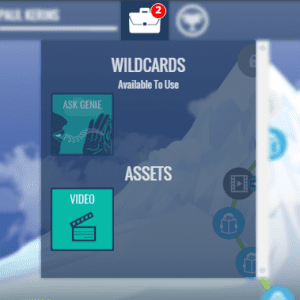
Genie also gives you the chance to recommend the right training videos to the learners who need them the most. In the Question Builder, you can create triggers that push appropriate content to learners whenever they get a question wrong. If we use the product training example again, you can test your learners on a particular product within the unit itself.
If their knowledge isn’t up to scratch and they get the question wrong, you can push the perfect video content to address their specific knowledge gap. This will appear in the learner’s console area and their progress will be halted until they have watched the video.
Creating training videos can be a costly process, so it’s important that you get the biggest possible return from your investment. Make the most of your hard work by boosting learner engagement with a learning game and make your training go a whole lot further!
See for yourself how easy it is to create game-based learning content by signing up for a free demo of Genie. Pop over to unleashthegenie.com and make the most of your instructional videos!